Turning a conventional online shop journey into a storage booking experience built around unit availability, contract choices and move-in dates.
Staffords Self Storage provides storage space for customers moving house, renovating, managing business stock or simply making more room. Its website needed to help visitors understand the service and make practical booking decisions: which size to choose, which access option suits them, when to move in and which rental contract to select.
The previous website already used WooCommerce to present products and accept online bookings. As the requirements developed, the standard product-led approach was no longer sufficient for the experience the business wanted to offer. Cada Media redesigned the website and rebuilt the customer journey around the specific requirements of self storage.
The project combined a new Elementor design with custom WooCommerce development, new information pages, availability-aware calls to action, a waiting-list enquiry route, on-page SEO, performance optimisation and security work. WooCommerce remained the commerce foundation, with a bespoke booking layer developed around it.


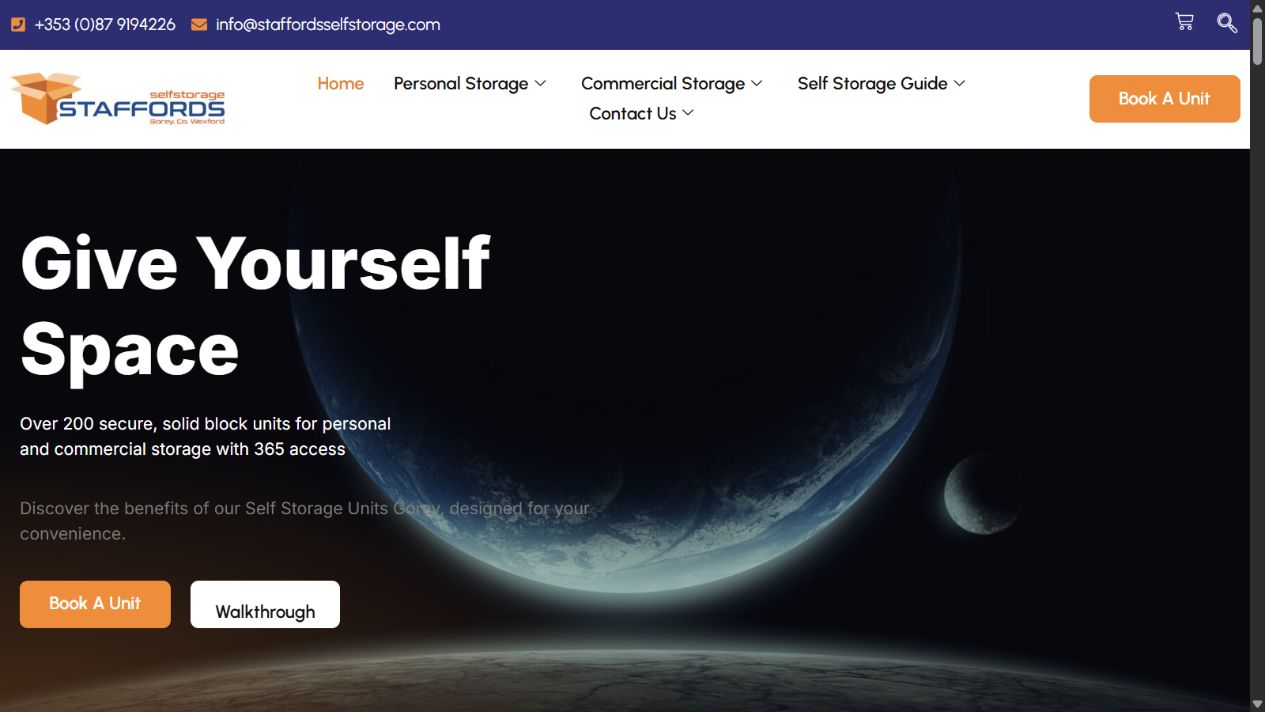
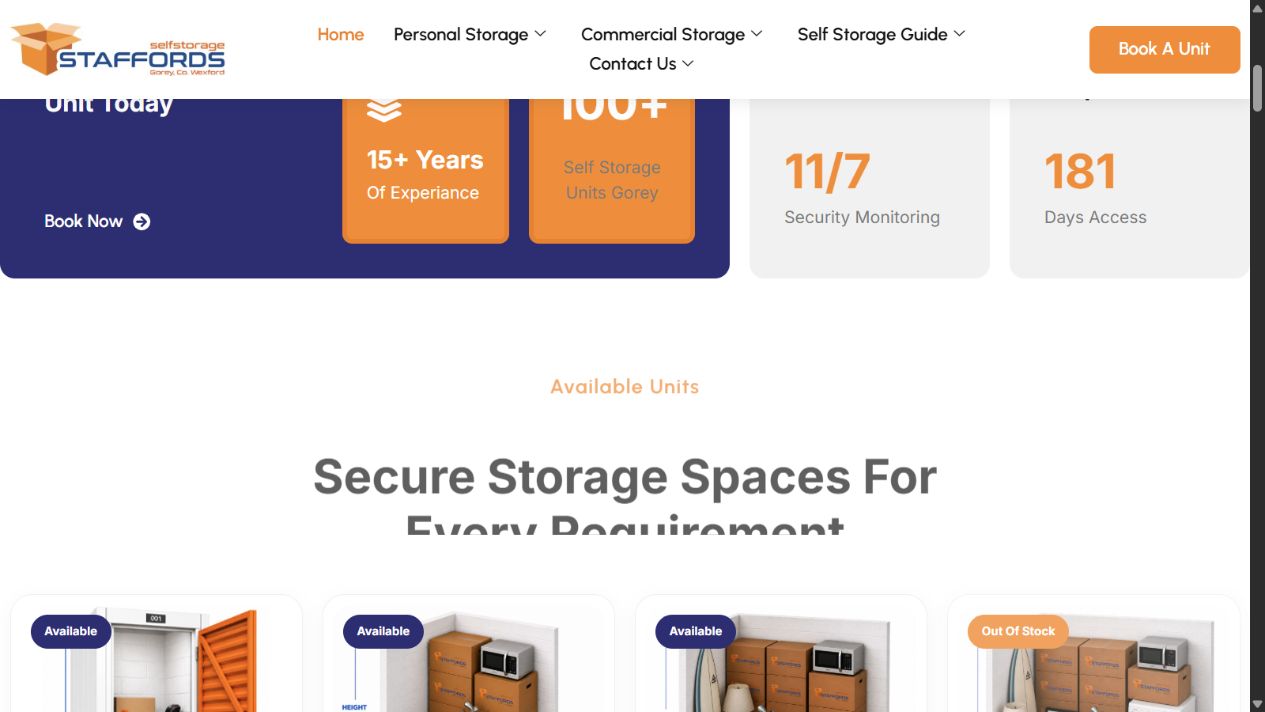
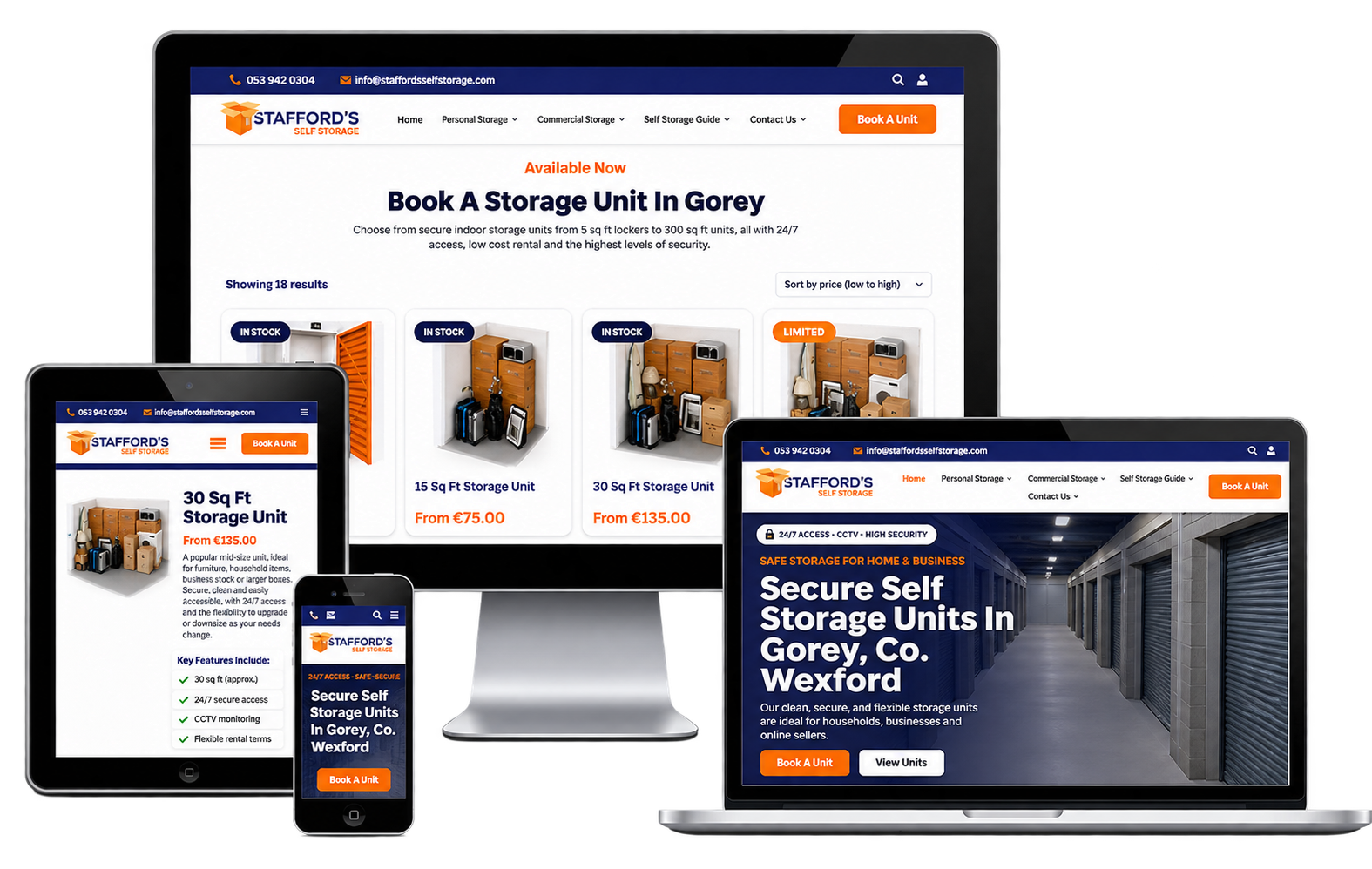
The redesign retains the recognisable orange and deep-blue brand colours while introducing a different visual hierarchy. Larger headings, clearer calls to action and dedicated content sections give the homepage a more direct route into booking. Unit cards now bring starting prices and availability into the browsing experience, with different next steps for available and unavailable units.
| Area | Previous approach | Redesigned experience |
|---|---|---|
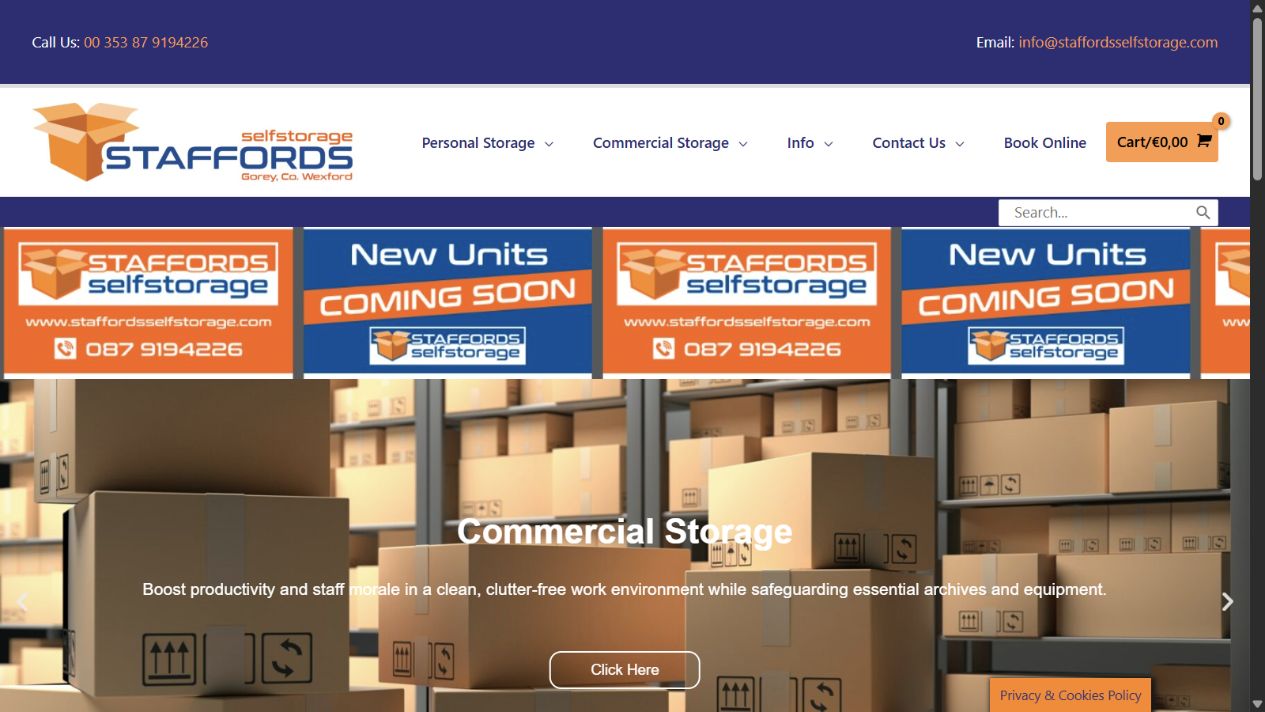
| Homepage | Rotating banner, service categories and business information. | Prominent booking calls to action, walkthrough access and unit availability cards. |
| Booking | An existing WooCommerce product-based journey. | A tailored sequence for move-in date, unit type, contract type and payment. |
| Unavailable units | The project needed a clearer alternative to an unavailable purchase. | Stock-aware “Join Waiting List” actions connected to a dedicated enquiry page. |
| Optional lock | A requirement beyond the standard product-booking flow. | An optional checkout-only add-on controlled through a custom toggle. |
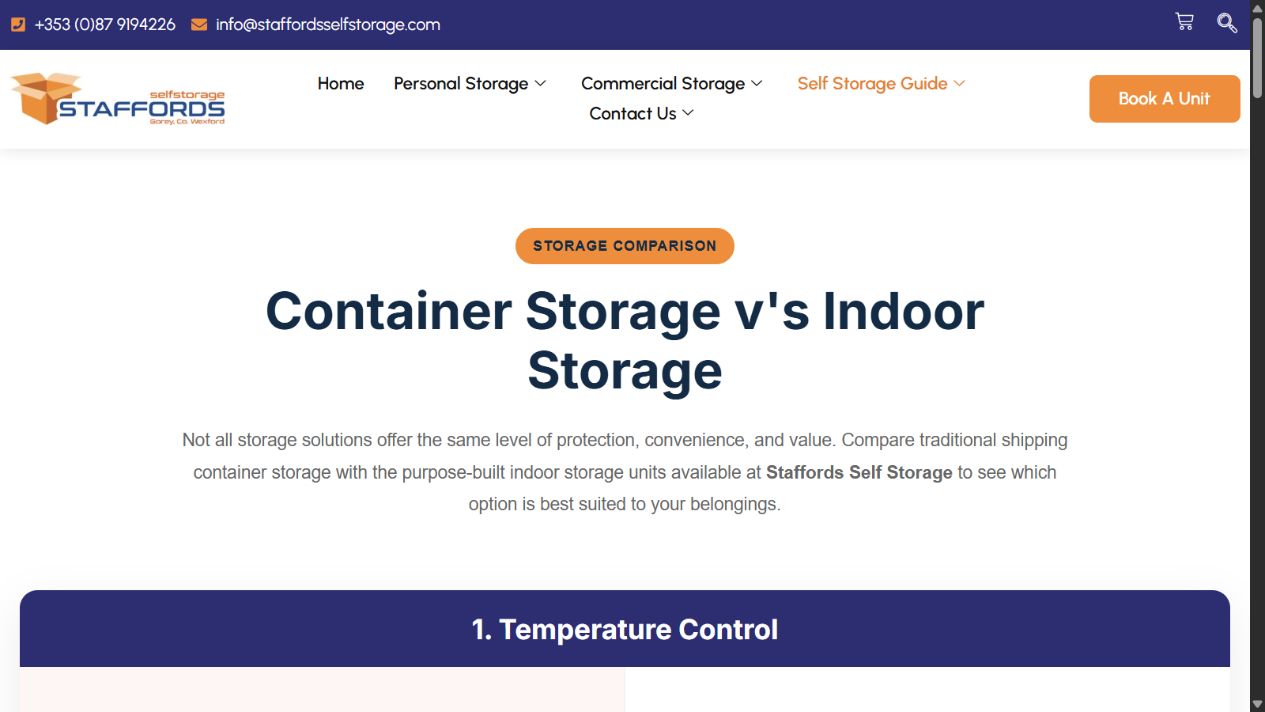
| Customer education | Existing personal and commercial storage information. | An additional container-versus-indoor-storage comparison page. |
A storage booking has requirements that a typical retail checkout does not capture on its own. The customer is selecting physical space with a particular access type and rental term, and the operator needs a usable move-in date alongside the order. Different contract choices may also refer to the same physical stock.
Our development work connected these decisions into one journey. The aim was to give customers a clear sequence to follow while keeping essential information attached to the WooCommerce order for the business to use afterwards.
We rebuilt the website design in Elementor, bringing the principal pages and booking entry points into a consistent visual system. The homepage places booking actions alongside service information, customer reviews and storage guidance, helping visitors move from learning about the facility to choosing a unit.
The design also gives the business a practical way to manage page content through WordPress and Elementor. Marketing content and service information can be maintained within the same platform as the booking system.
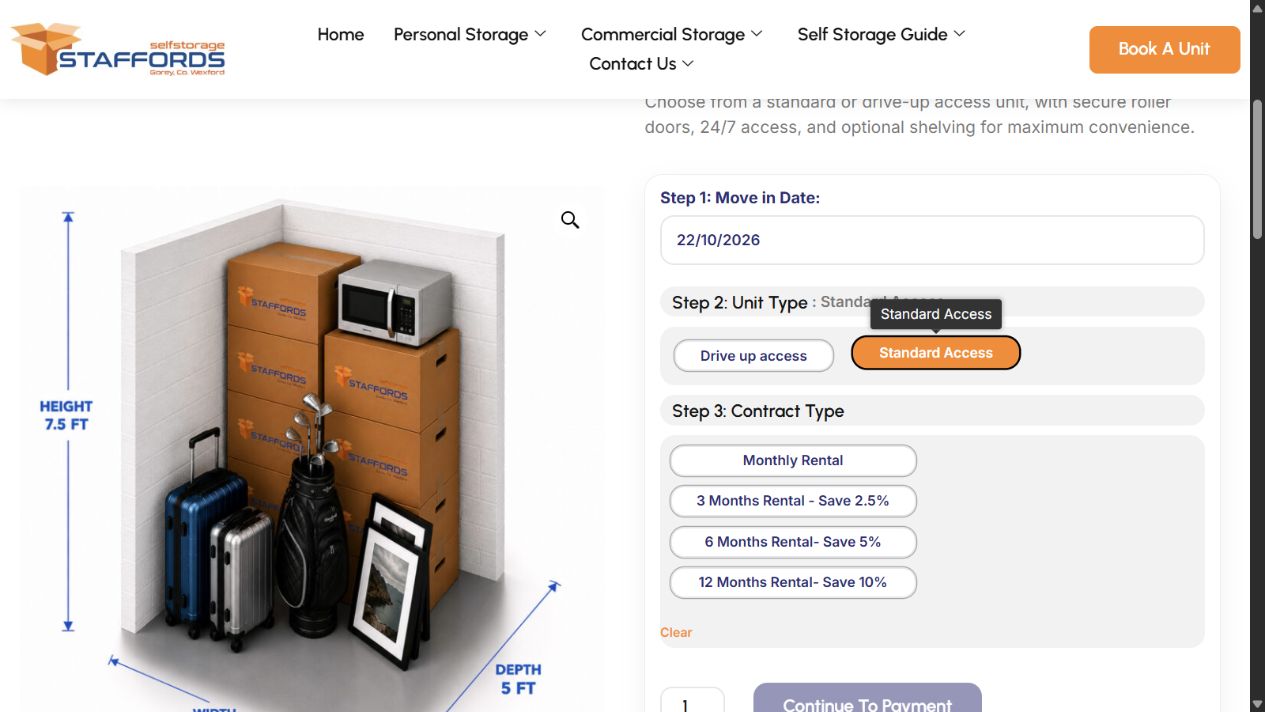
The redesigned product experience breaks the booking decision into clearly labelled steps. On the reviewed unit page, customers first select their move-in date, then choose an access option. Contract choices appear after the unit type has been selected, keeping the initial form focused.
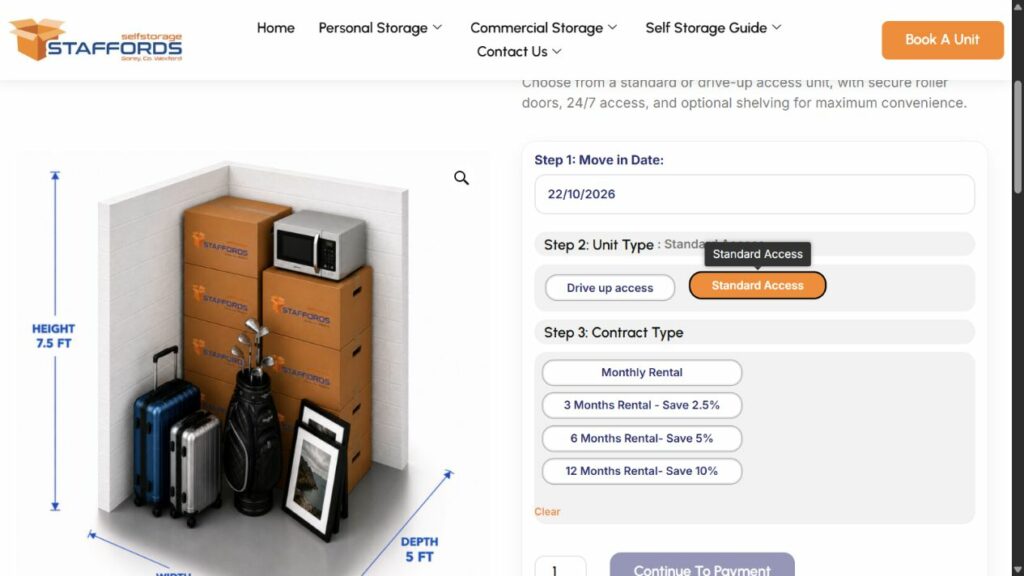
The live unit page reveals contract options after an access type is selected.
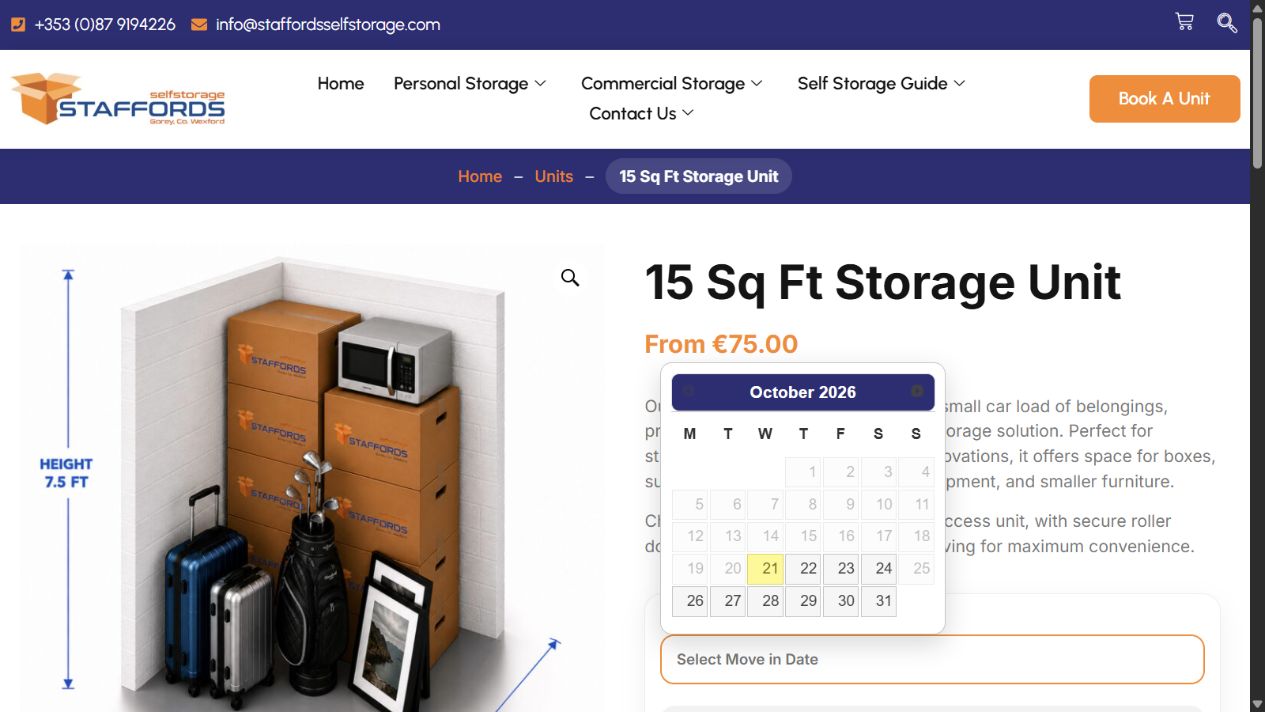
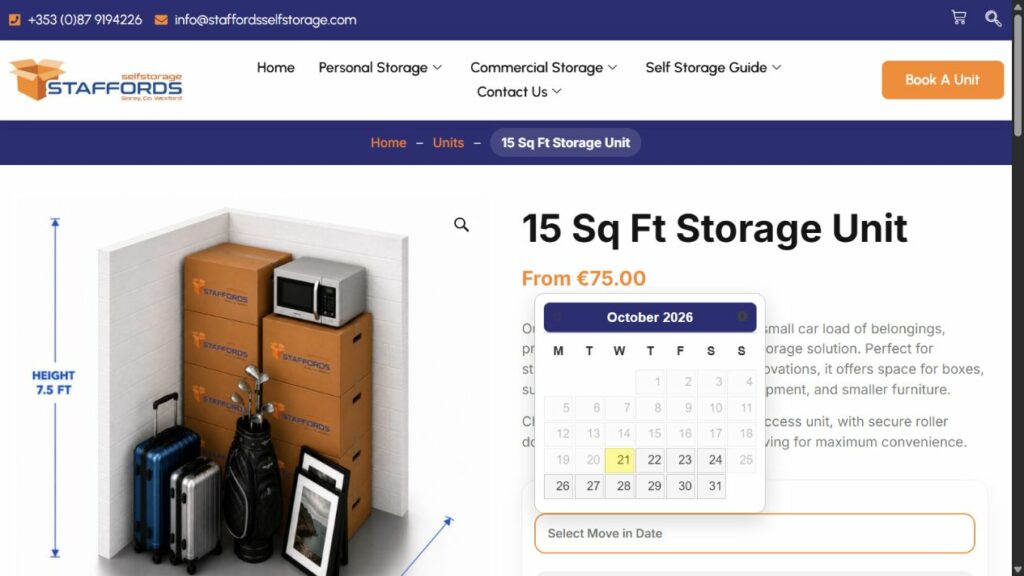
One of the central pieces of development was the custom “Storage Units – Move In Date Calendar” snippet. It places a date picker directly on the individual storage-unit page so the intended move-in date becomes part of the booking decision from the beginning.
The calendar is configured around a restricted 14-day booking window from the current date. This keeps online move-in selections within the business’s permitted near-term period. The date is carried through the WooCommerce process and included in order details and relevant order emails, as part of the implementation delivered for the project.
This matters operationally as well as visually. A move-in date entered once and retained with the booking gives the customer and the storage team a common reference, reducing the need to collect the same information again in a separate conversation.
We extended the product options to support both Unit Type and Contract Type. On the unit page reviewed for this case study, the access options are Standard Access and Drive Up Access. Rental choices include monthly, three-month, six-month and twelve-month terms, with longer-term savings presented beside the relevant choices.
The earlier project records also document shared stock pools for Standard and Drive Up units. This addresses an important distinction: different rental contracts can represent different ways to book the same physical unit, rather than separate units of stock.
The availability logic checks the relevant shared pools. At the overall product level, a unit size can remain available when either access pool has capacity. When both pools are empty, the product is treated as unavailable. This gives the stock badges and booking buttons a more useful relationship with the underlying inventory model.
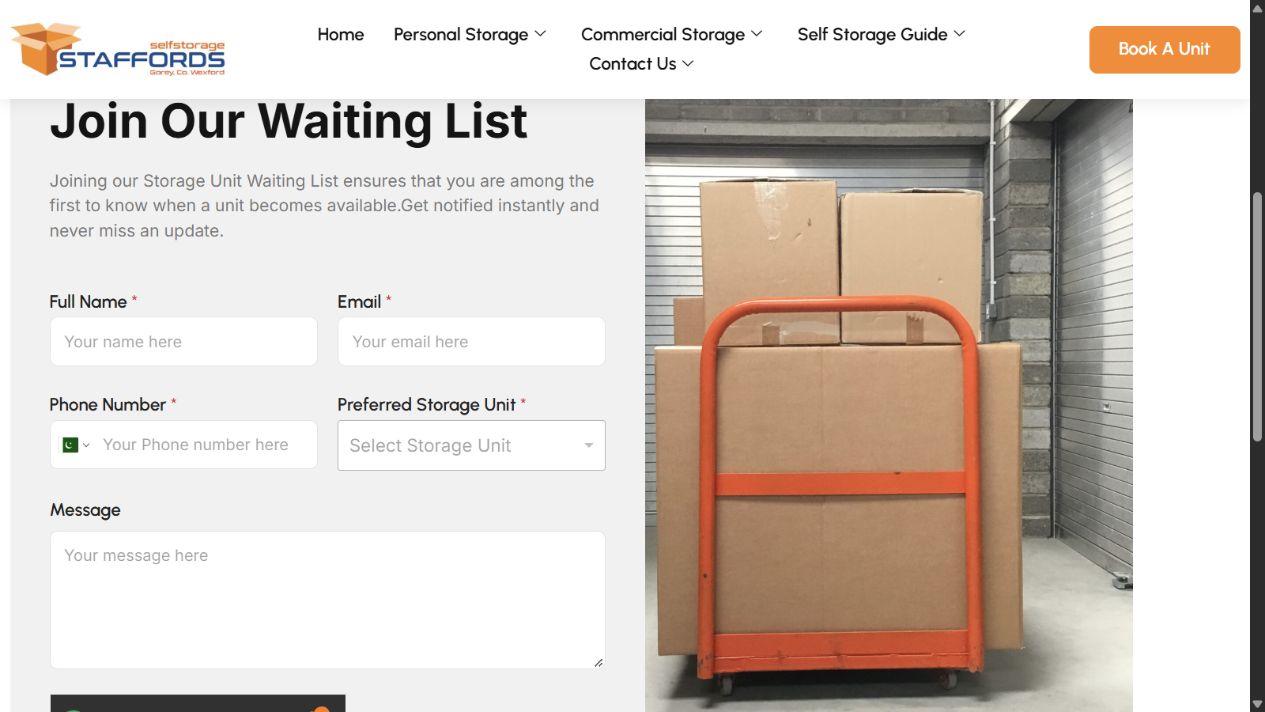
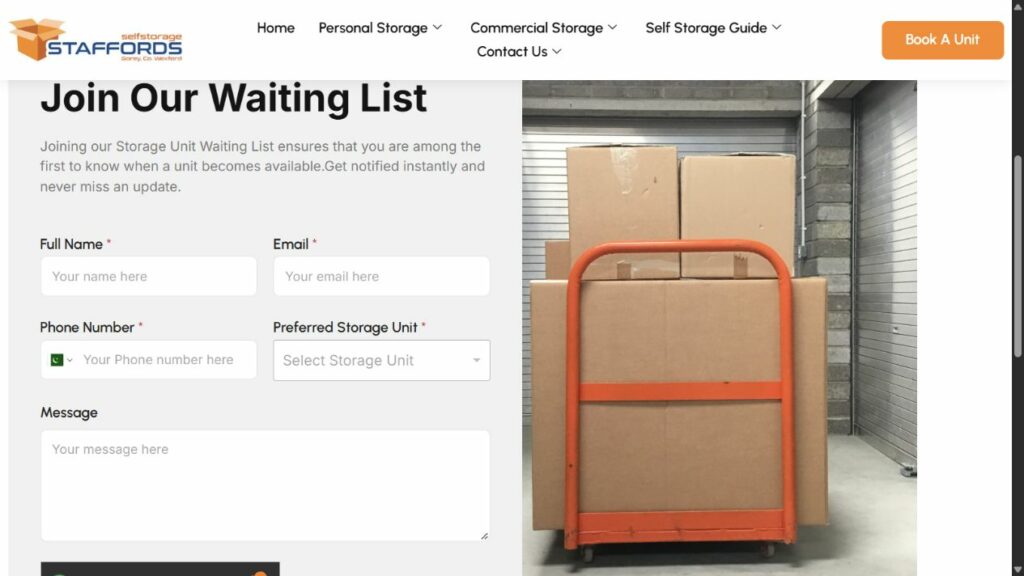
Unavailable stock should still give an interested visitor somewhere useful to go. We created a dedicated Storage Unit Waiting List page and connected it to the booking interface.
The live homepage shows “Book Now” for available units and “Join Waiting List” for unavailable units. The earlier development work also includes variation-level handling, so the next action can change according to the selected option rather than relying only on the parent product.
The waiting-list form collects the visitor’s name, email address, phone number, preferred storage unit and an optional message. This gives the business a structured enquiry to follow up when suitable space becomes available, while giving customers a route forward when they cannot book immediately.
We developed a custom checkout toggle for an optional lock. The lock is kept out of the normal shop browsing experience and offered at the point where it is relevant: when the customer is completing a storage booking.
Customers can choose whether to include the lock. Selecting it adds the item to checkout; deselecting it removes it. The supporting checkout update logic keeps the order summary and totals aligned with that choice.
This is a practical example of tailoring WooCommerce to the service. The main browsing experience stays centred on storage units, while the accessory remains available without requiring the customer to find and add a separate shop product.
The booking work extended beyond the product page. Custom snippets addressed checkout presentation, product visibility, availability messaging and the order-details experience, helping the different stages behave as parts of the same booking process.
Related refinements included starting-price presentation, checkout add-on placement and wording changes to make WooCommerce better suited to storage bookings. The order-details work supported a clearer presentation of the booking information customers need after completing payment.
A later refinement addressed phone-number collection during Apple Pay and Google Pay checkout. The project records describe a case where an express wallet payment bypassed the standard checkout phone field. A targeted snippet made the phone requirement explicit in WooCommerce’s configuration while retaining both wallet payment options.
This work focused on making the contact requirement consistent across standard and express checkout routes. The customisation aligns the phone requirement in WooCommerce with the booking teams need for customer contact information.
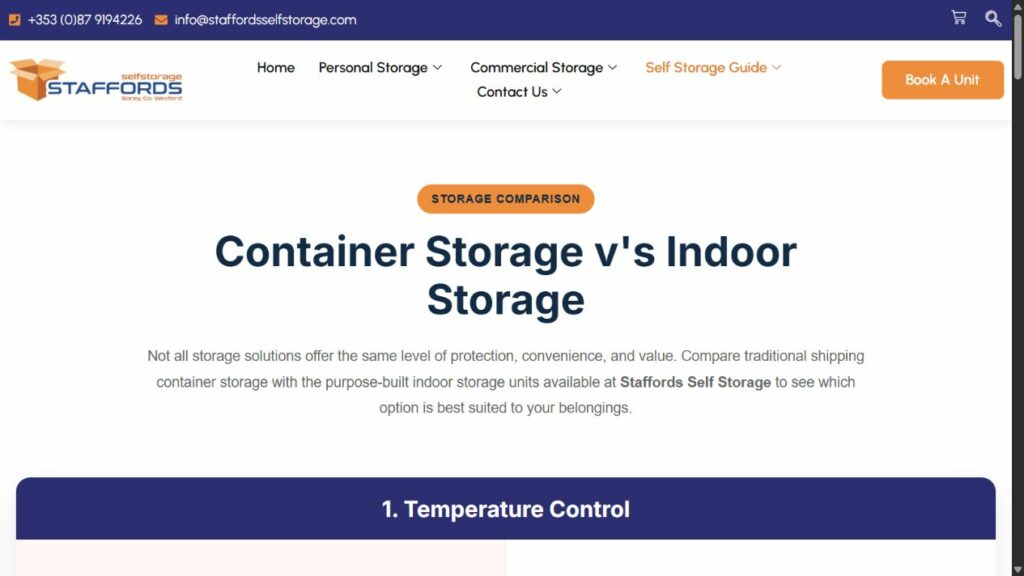
We also created the Container Storage vs Indoor Storage page to help visitors understand the business’s offering before making a booking.
The page organises the comparison into practical topics, including temperature, moisture, security, space, facilities, flooring, doors, pest protection, accessibility and value. This format helps customers consider more than unit size or headline price when deciding which storage environment suits their belongings.
A booking call to action connects the information back to the commercial journey. The page gives the business an additional place to explain its service and answer common pre-booking questions.
On-page optimisation and foundational SEO formed part of the project scope. The work supported the website’s service content and local relevance, alongside the redesign and booking functionality.
The current website provides visible examples of that local focus: its homepage title references self storage in Gorey, and the homepage links to dedicated pages for Gorey, Wexford and Wicklow. Service information, unit pages and the comparison content give visitors multiple routes to understand the offering and reach the booking journey.
SEO was treated as part of the website delivery, alongside its design, content and functionality. The aim was to establish a useful search foundation while keeping the journey from information to booking clear for visitors.
Speed optimisation was also completed as part of the project. Performance matters throughout a storage booking: customers move between information pages, unit options and checkout, and delays at any stage can interrupt that process.
The optimisation work accompanied the new design and custom booking features, with the objective of supporting a responsive browsing and booking experience. Performance was considered alongside the visual presentation and practical requirements of the booking process.
We included WordPress security work using Wordfence as part of the project. Security is particularly relevant to a website that manages customer enquiries, booking information and access to an administration area.
Wordfence formed part of the security setup, supporting the wider objective of protecting the platform behind the booking service. The delivered security work should be supported by ongoing maintenance as WordPress, WooCommerce and payment integrations evolve.
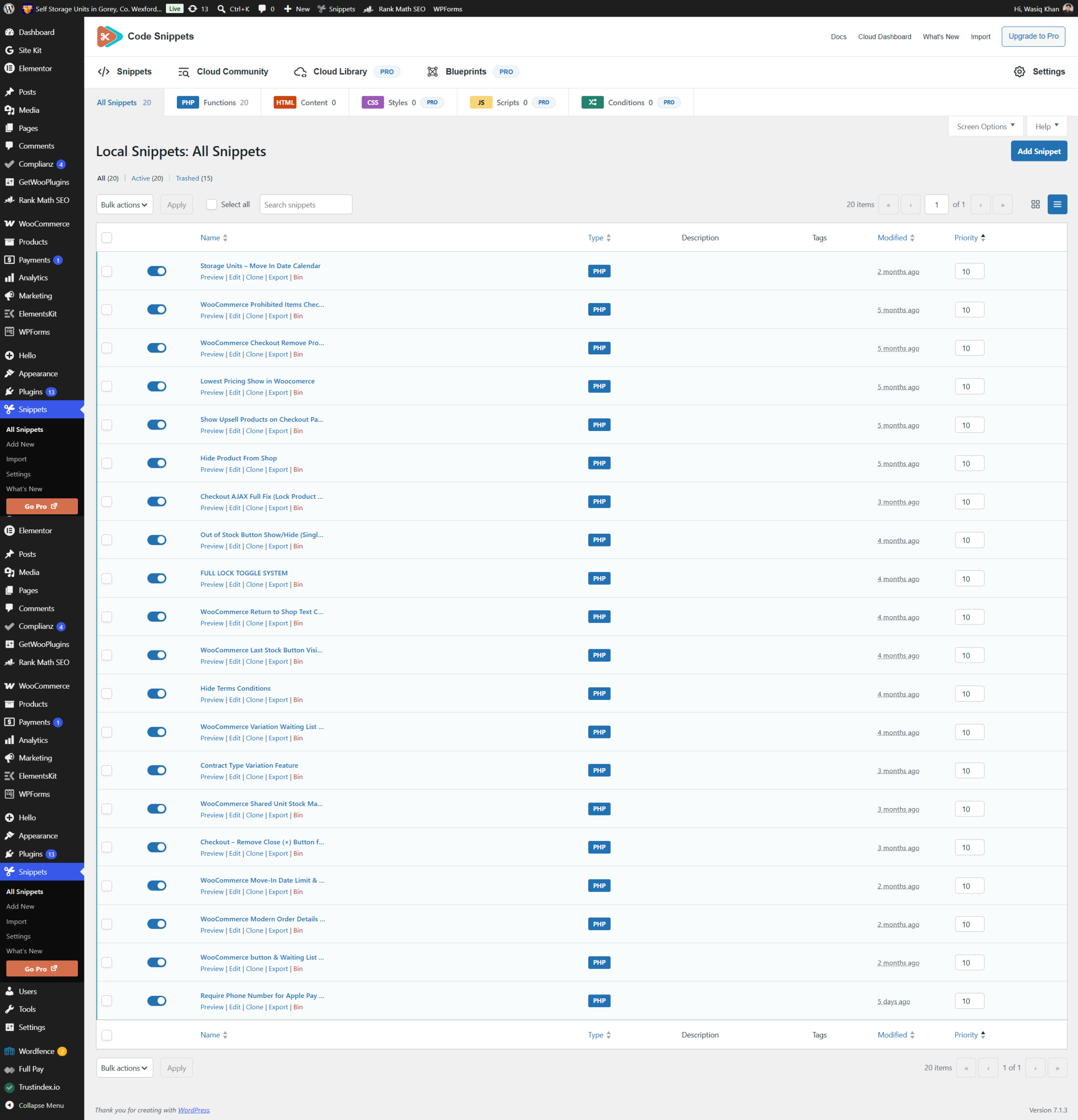
We developed 20 custom PHP snippets to adapt WooCommerce to the requirements of Staffords Self Storage. Together, they support date selection, rental options, shared availability, checkout behaviour and order presentation. Several snippets work together on the same feature, creating a connected booking process.
Adds a move-in date picker to the individual storage-unit page. Customers select their intended arrival date as part of the booking, with that information carried into the WooCommerce order and relevant emails. This keeps a key operational detail attached to the transaction.
Brings prohibited-storage-item information into the checkout experience. This connects the booking process with the practical restrictions that apply to using the storage facility, giving customers relevant context before completing their booking.
Adjusts product-related presentation at checkout to suit the storage booking flow. This forms part of the work to tailor the standard WooCommerce checkout interface to the projects requirements.
Presents the starting price for variable storage products using a clear “From” price. Customers can see the entry price while browsing, then choose the unit and contract combination that determines their booking.
Places relevant additional products within checkout. For this project, the optional lock is offered alongside the storage booking, where customers can decide whether they need it without leaving the checkout journey.
Keeps the lock out of the ordinary shop catalogue while retaining its role as a checkout add-on. The catalogue stays focused on storage units, and the accessory is offered at the appropriate stage.
Supports checkout updates when the optional lock selection changes. The order summary and totals stay aligned with the add-on choice, so the displayed booking reflects what the customer has selected.
Adjusts the individual product-page action according to availability. This supports a useful next step for unavailable options instead of leaving customers with an unusable booking button.
Provides the customer-facing control for adding or removing the optional lock at checkout. Selecting the toggle includes the lock in the order; turning it off removes it, leaving the choice with the customer.
Customises WooCommerces default return-to-shop text. This brings a standard commerce message into line with the language used throughout the storage booking experience.
Adjusts button visibility in response to stock conditions. It complements the wider availability work so that booking controls respond to the inventory state.
Customises the visibility of a terms-related interface element within the booking experience. This is a presentation adjustment within the checkout customisation work.
Connects the selected variations availability to the appropriate next action. Unavailable selections lead customers towards the waiting list, while available selections retain the payment route.
Adds rental-contract choices to the unit-selection process. Customers can choose from the terms offered for their selected unit type, with longer-term options and their associated savings presented together.
Supports shared stock pools for Standard and Drive Up access. Contract variations can refer to the same physical inventory, with pool availability reflected in the variations rather than treating every rental term as separate storage capacity.
Removes a designated close control from the customised checkout interface. This is one of the smaller interface refinements used to shape the booking flow; the optional lock remains controlled through its dedicated toggle.
Supports the permitted move-in date window alongside the calendar interface. The booking journey uses the projects 14-day limit to keep date selection within the businesss near-term booking requirements.
Customises the order-details presentation to suit the redesigned booking experience. It supports a clearer post-payment view of the booking and its relevant information, including the move-in date integration.
Connects product-listing actions to shared availability. Available units direct customers to their product page, while unavailable units display a waiting-list route. This makes the catalogue a practical entry point into both bookings and enquiries.
Makes the phone-number requirement explicit in WooCommerces configuration and aligns the billing and checkout fields. The customisation addresses the contact-information requirement across standard checkout and express wallet payment routes while keeping Apple Pay and Google Pay available.