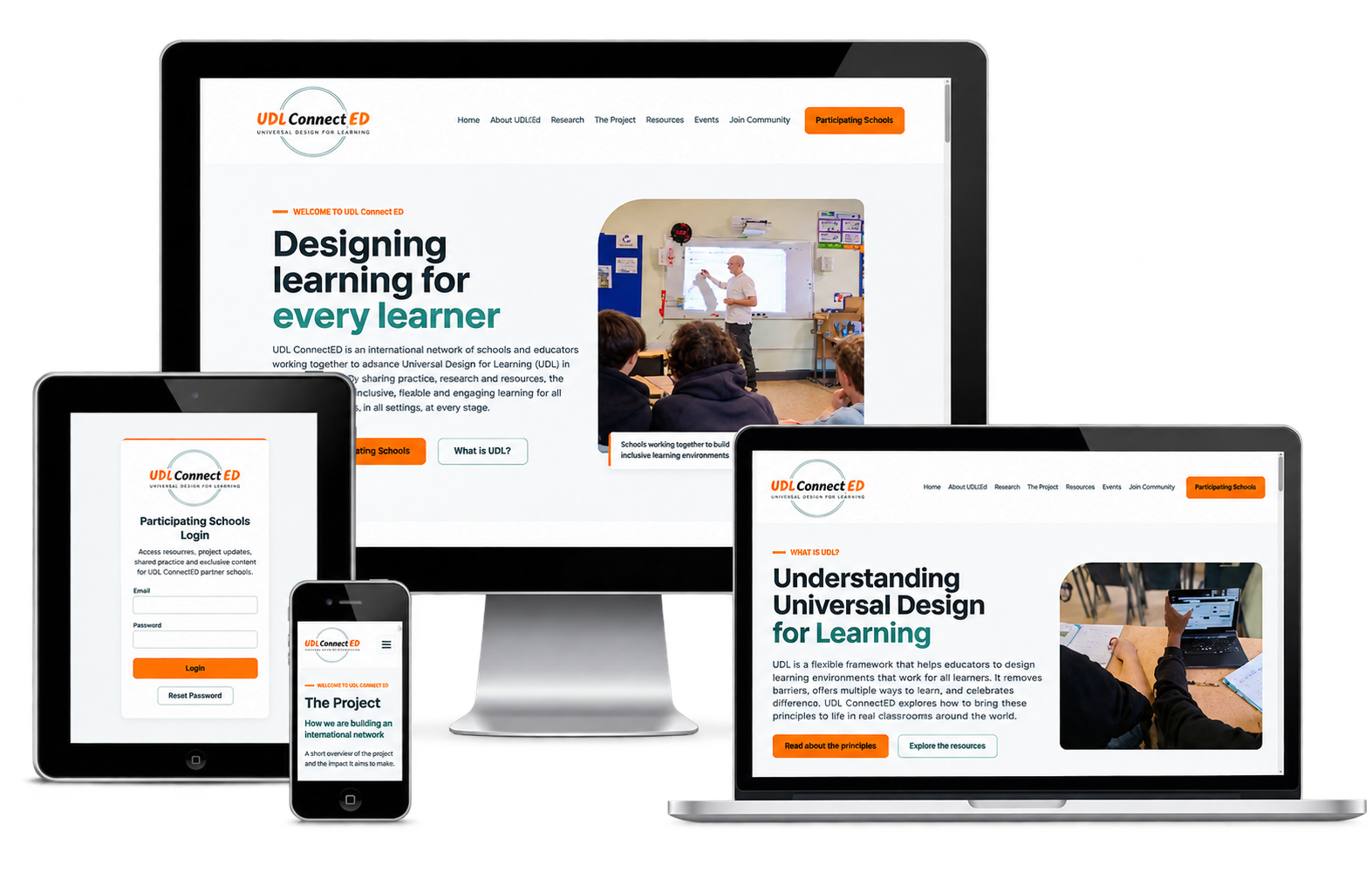
From domain and Plesk hosting setup to a custom-designed, client-editable website, a dedicated schools resource area and a structured SEO foundation.
Client: UDL ConnectED
Sector: Education, inclusive teaching and school collaboration
Project: New website built from scratch
Services: Domain and hosting setup, logo refinement, bespoke design, WordPress and Elementor development, custom plugin development, enquiry integration, SEO and security
Technology: WordPress, Elementor, custom PHP, WPForms Pro, Google Sheets, Rank Math and Plesk-managed hosting
Website: udlconnected.ie
Our work with UDL ConnectED began with the essentials needed to establish a new online presence. Cada Media handled the domain and hosting setup, bringing the website address and the environment supporting the site into the same project as its design and development.
We provided hosting on Cada Media’s Plesk-managed server environment. This gave the project a central place to manage its website hosting and domain configuration, and a foundation for deploying the WordPress website and its custom functionality. Plesk serves as the hosting management platform behind the site, while WordPress provides the client-facing content management system.
For the client, this meant the project covered more than the pages visitors would see. Domain setup, hosting and website delivery were coordinated together, with Cada Media managing the technical foundation as well as the finished experience. The team could concentrate on its educational content and school community while we brought the new website online.
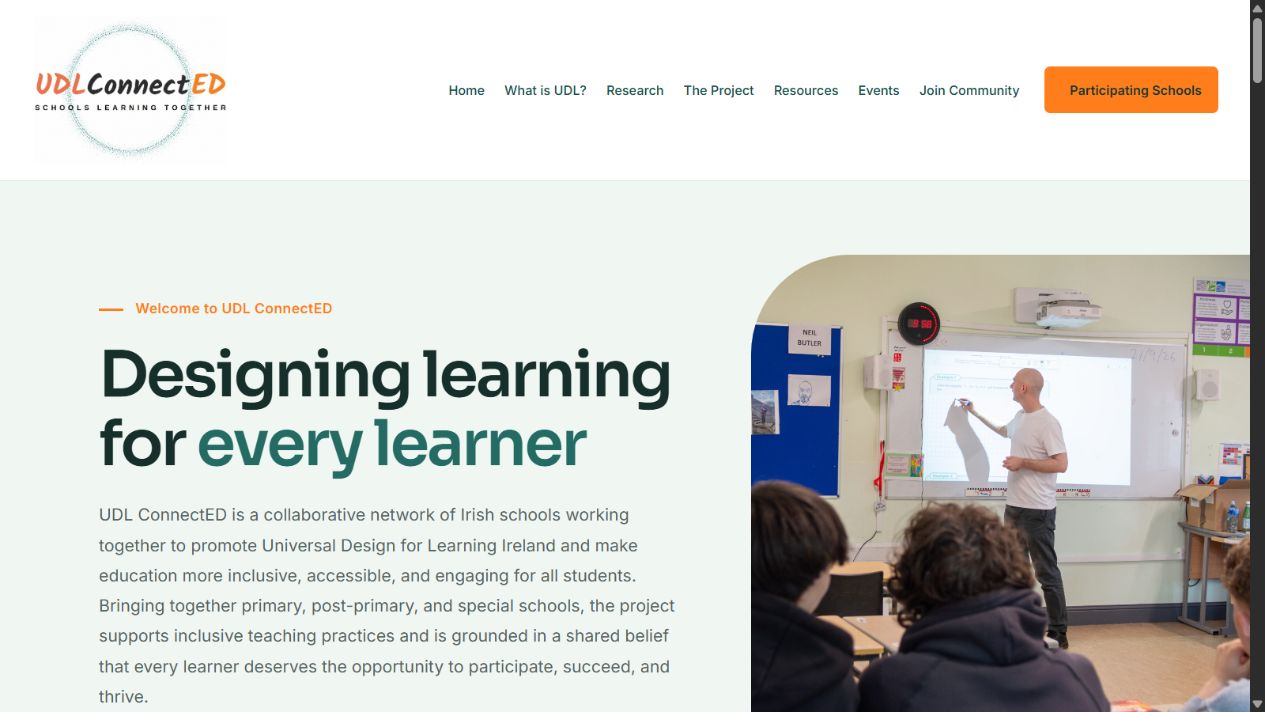
The new UDL ConnectED website brings the network’s identity, educational purpose and main visitor journeys together.
UDL ConnectED is a network of Irish schools sharing their experience of Universal Design for Learning. Its work brings together primary, post-primary and special schools around inclusive practice, professional learning and collaboration.
The organisation needed a new website that could explain the project, introduce its approach, share practical materials and help interested schools get involved. Participating teachers also needed a separate place to find materials intended for the network.
There was no previous website to redesign. We built the online presence from the ground up, organising the content, defining the visual experience and developing the functionality needed to support both public visitors and participating schools.
Just as importantly, the client needed to keep the website current without editing code. The finished solution had to combine a bespoke design with practical controls for changing text, images and resources as the network developed.
We improved the existing logo as part of the project and carried the identity through the website. The finished presentation combines teal and pale green with orange accents, a clear heading hierarchy and imagery connected to schools and learning.
The design gives educational content room to breathe. Large headings introduce each topic, supporting copy explains its purpose, and distinct buttons guide visitors towards the project, resource library, community enquiry form or schools login.
Consistency extends beyond the homepage. Public content pages, navigation, resource cards and the schools login share a recognisable visual language, helping the website feel like one connected service.
The website began as a custom-coded design. This allowed us to establish the layouts, visual details and interactions around UDL ConnectED’s content rather than fitting the project into a generic page template.
We then rebuilt the page content using editable Elementor widgets, preserving the design while making routine changes accessible to the client. Headings, body text, images, buttons and other page elements can be managed visually in WordPress.
This was a key part of the delivery. A custom appearance is valuable, but the website also needs to remain useful after launch. The client can update educational content, replace photographs, revise event information and maintain links without reopening a large block of page code.
The header and footer were placed in Elementor Theme Builder as directly editable templates. This gives the client one place to manage the shared navigation and footer content, with those changes applied across the public pages.
A branded 404 page and Thank You page extend the design to supporting visitor journeys. The Participating Schools page retains its standalone login layout, providing a focused entrance to the resource area.
We organised the website around the questions different visitors bring. Someone new to the subject can learn what UDL means. A school leader can explore the project and its research. A teacher can find classroom materials. An interested school can express its interest in joining the network.
| Website area | Purpose |
|---|---|
| Home | Introduce the network, its educational purpose and the main routes through the website. |
| What Is UDL? | Explain Universal Design for Learning and its core principles. |
| Research & Evidence Base | Present supporting research and considerations for inclusive practice. |
| The Project | Explain the network’s story, programme structure and school collaboration. |
| Sample Resources & Tools | Organise school presentations, classroom materials, images and downloads. |
| Events & CPD | Provide a home for events and professional learning information. |
| Join the Community | Explain participation and collect expressions of interest from schools. |
| Participating Schools | Provide the login entrance to the network’s private resource dashboard. |
| Supporting pages | Provide accessibility, privacy and cookie information, alongside branded confirmation and error pages. |
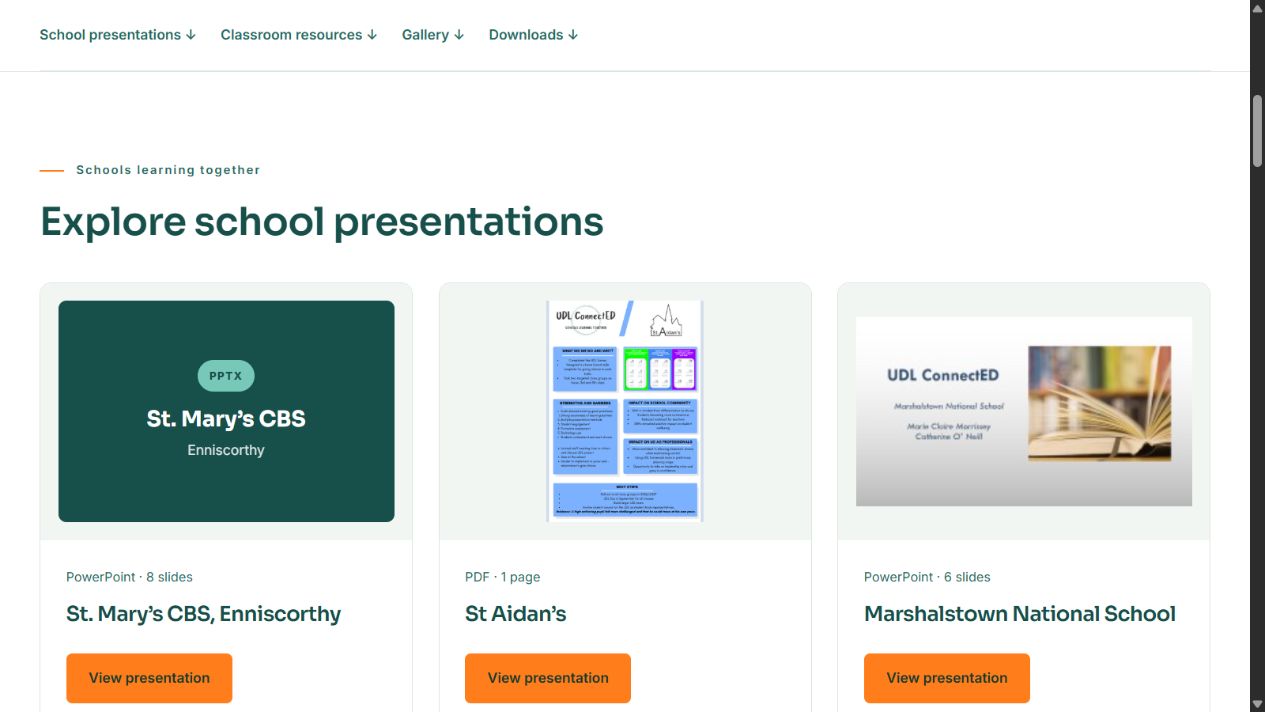
The public resources page brings together material shared by schools in the network. We organised the content into presentation cards, classroom resources, a school gallery and download links so visitors can browse by purpose and recognise the type of material available.
School cards combine a title, preview or cover, file information and clear viewing or download actions. The layout accommodates PowerPoint presentations, PDFs and images, allowing different schools’ contributions to sit within a consistent structure.
Image proportions and card layouts were refined during development to keep the resource collection visually consistent. The gallery also provides enlarged views of images, while links between project content and resources help visitors move from learning about a school’s work to exploring its materials.
A central part of the project was the custom UDL ConnectED Private Schools Area plugin. We developed it to give participating schools a shared resource dashboard and to let the project team manage its contents through WordPress.
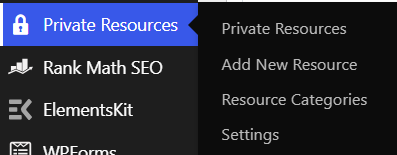
The plugin adds a dedicated Private Resources section to the administration menu, with options to add resources, manage categories and update settings. This creates a clear publishing workflow for the client, separate from editing the public website pages.
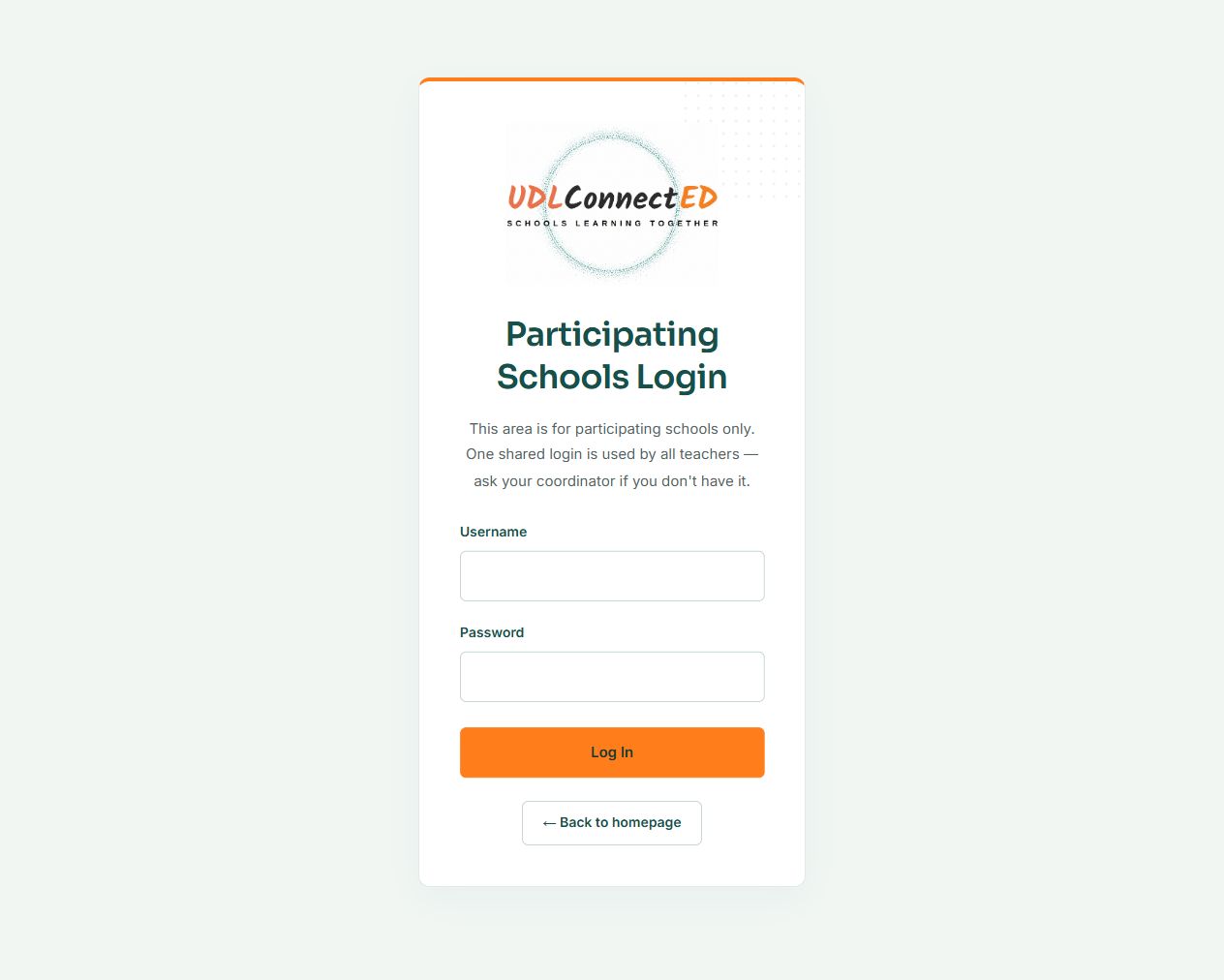
Teachers enter through a branded Participating Schools login page. The plugin uses a shared username and password supplied by the network coordinator, matching the project’s straightforward shared-access model.
After authentication, the plugin displays the schools dashboard. The shared login gives the network a common entrance to the resource collection without requiring an individual website account for every participating teacher.
The dashboard includes an announcement area that the administrator can update in the plugin settings. It provides a prominent place for project messages and guidance when teachers return to the resource area.
A Noticeboard category sits alongside the learning materials. Together, these features support an administrator-managed space for publishing updates and sharing information with participating schools.
The plugin provides categories for Noticeboard items, CPD recordings, slide decks and course packs, planning templates and classroom resources. Administrators can add categories as the collection develops.
On the dashboard, resources are grouped under their categories and displayed as cards. Each card can include a title, description and an action to open or download the associated material. This gives the growing collection a predictable structure.
When adding a resource, the administrator can choose a file through the WordPress media uploader or provide an external link. This supports documents such as PDFs, Word files and PowerPoint presentations, as well as links to materials hosted elsewhere.
The flexibility is useful for a school network whose resources may come in several formats. A planning document, slide deck or externally hosted recording can all be described and organised through the same publishing interface.
To add material, the client creates a resource, enters its title and description, chooses a category, attaches a file or link and publishes it. The dashboard then displays the published resource in its relevant category.
The settings screen also lets the administrator update the shared login, dashboard announcement and support email. Teachers have a Support & Contact section within the dashboard, giving them a route back to the project team.
The custom plugin therefore serves two audiences: participating schools receive a structured resource area, and the client receives a practical management interface for keeping it useful.
We used WPForms Pro for the website’s enquiry workflow, with Google Sheets integration to support the organisation of form enquiries. This connects the public expression-of-interest journey with a spreadsheet-based process the team can use for follow-up.
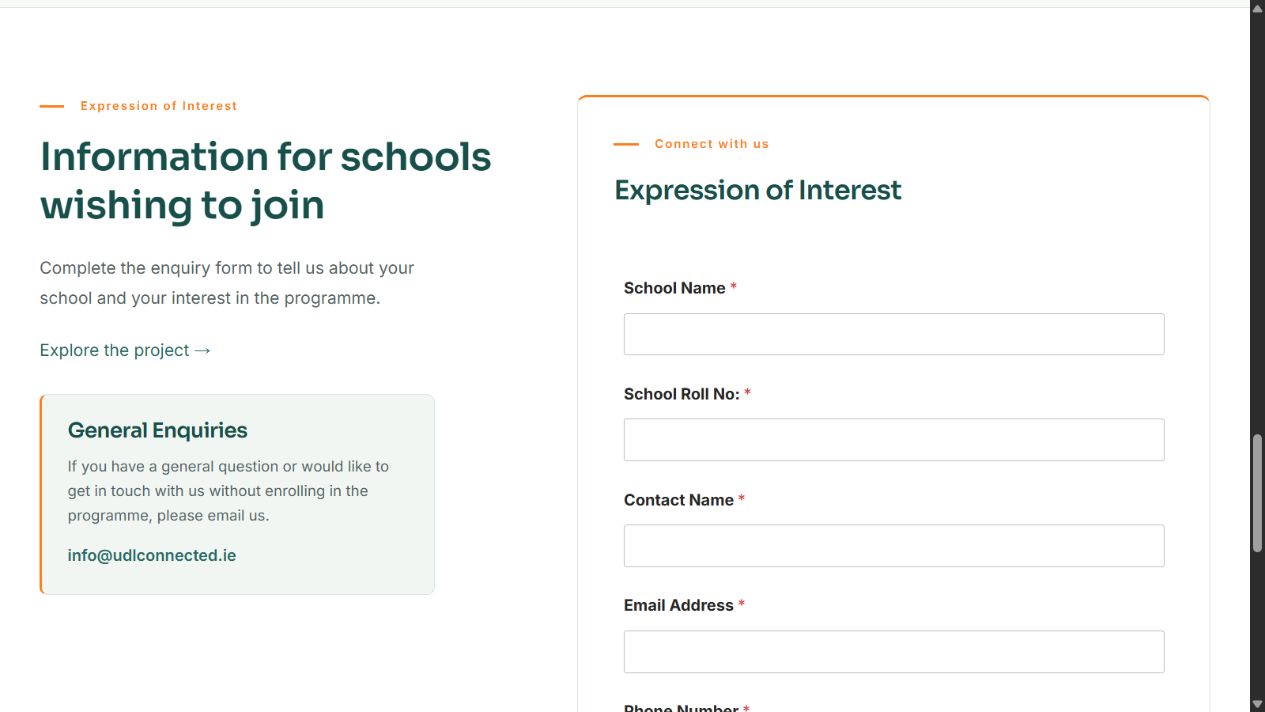
The Join the Community form collects school name, school roll number, contact name, email address and phone number. These fields give the team the essential context needed to understand which school is interested and how to contact it.
Bringing form enquiries into Google Sheets gives the client a central working record for reviewing submissions and coordinating responses. The website handles the initial information capture, while the team can continue its follow-up in a familiar tool.
Teachers and school leaders may visit the website at a desk, between meetings or on a phone. We developed responsive layouts so the content and navigation adapt to different screen sizes, including smaller mobile displays.
The development work included responsive navigation, page layouts, resource cards and supporting pages. Recorded checks during the Elementor build covered desktop, tablet and mobile widths, including 1440, 900, 390 and 320 pixels.
Readability and ease of navigation informed the structure: descriptive headings break up long content, buttons identify the next action, and resource cards group related information together. The website also includes an accessibility statement and skip-to-content links to support navigation.
SEO formed part of the website delivery. We used Rank Math and prepared a dedicated keyword and metadata report to define the focus of the principal pages.
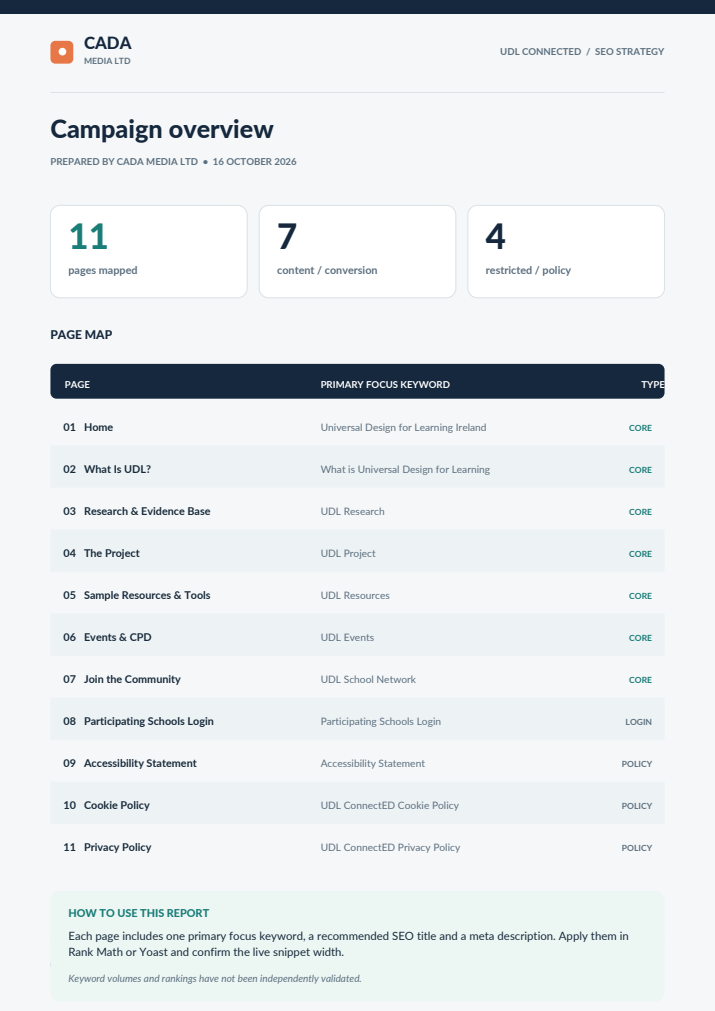
The report maps 11 pages: seven core content and conversion pages, one participating-schools login page and three policy pages. For each, it sets out a primary focus keyword, a recommended SEO title and a meta description.
The approach gives each main page a distinct subject. The homepage introduces Universal Design for Learning in Ireland, the explanation page addresses what UDL is, and the resource, research, events and community pages focus on their respective visitor needs.
| Core page | Primary focus in the SEO report |
|---|---|
| Home | Universal Design for Learning Ireland |
| What Is UDL? | What is Universal Design for Learning |
| Research & Evidence Base | UDL Research |
| The Project | UDL Project |
| Sample Resources & Tools | UDL Resources |
| Events & CPD | UDL Events |
| Join the Community | UDL School Network |
This creates a documented foundation for managing search titles, descriptions and page focus as the website develops. Login and policy pages are considered separately from the public information pages, reflecting their different purposes.
Security work was included in the project alongside hosting, development and SEO. The website serves public visitors, collects school enquiries and provides a login-gated dashboard, making access control an important part of its setup.
The custom plugin uses WordPress password hashing for its shared credential, verifies the login before rendering the dashboard and restricts its settings screen to administrators. Its forms also include request-verification checks, with sanitisation and output escaping used in the resource and settings workflows.
These are specific protective measures within the delivered plugin. They support the shared-access model, while ongoing updates, credential management and hosting maintenance remain part of keeping the wider website secure over time.